Introduction
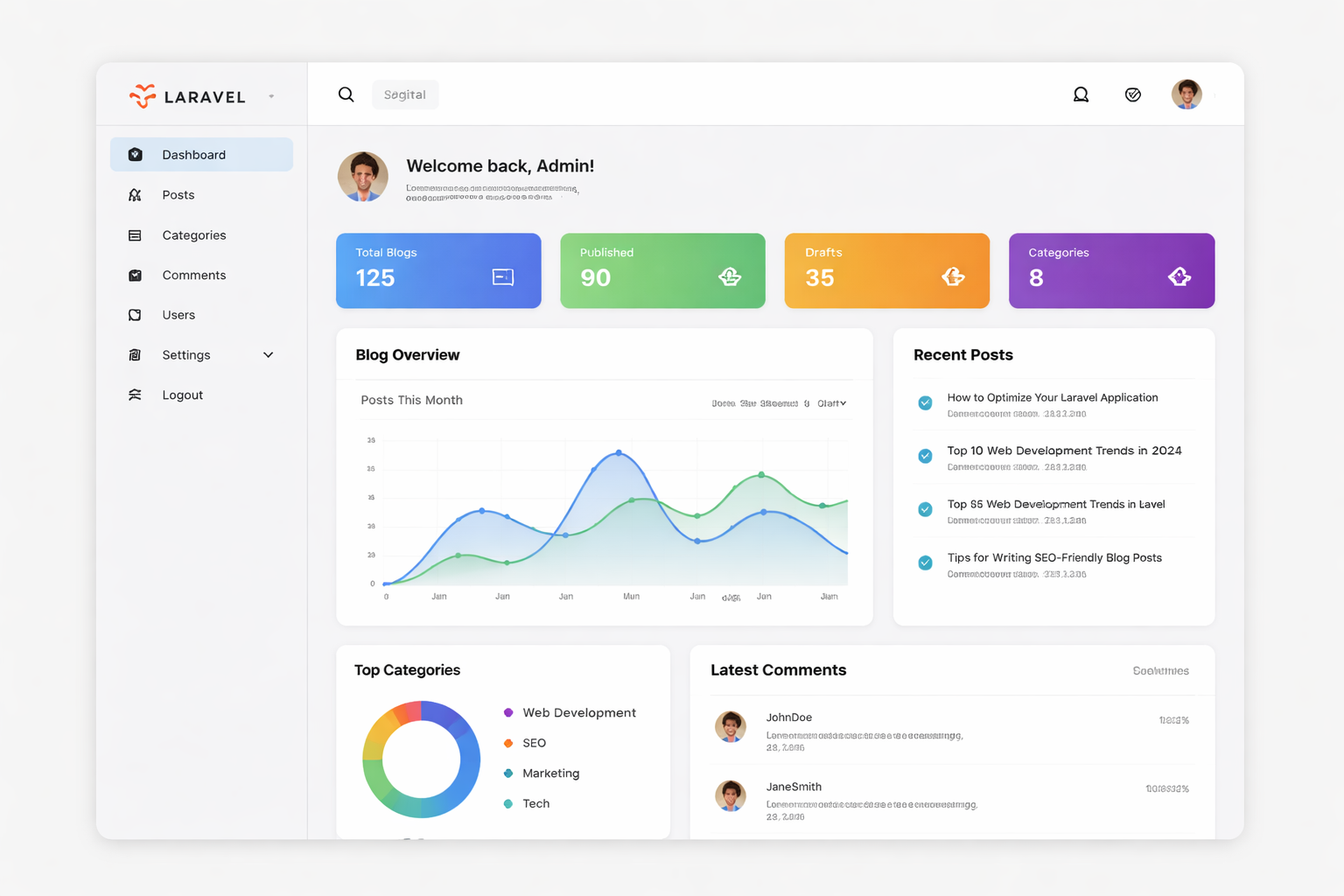
Building a professional blog dashboard in Laravel is not just about creating posts. A good system focuses on usability, performance, security, and scalability. In this article, we will walk through the essential concepts required to build a clean and production-ready Laravel admin blog dashboard.
Why Choose Laravel for Blog Management
Laravel is one of the most powerful PHP frameworks available today. It provides an elegant structure that makes development faster and more secure. With built-in authentication, routing, ORM, and validation, Laravel allows developers to focus on business logic rather than boilerplate code.
Some key advantages of using Laravel for a blog system include easy database management, secure authentication, and a highly maintainable codebase.
Key Features of a Professional Admin Dashboard
A well-designed admin dashboard should provide clarity and control. At minimum, your dashboard should include total blog count, published and draft status, and category management. These features help administrators quickly understand the health and progress of their content.
A good dashboard also improves productivity by reducing unnecessary clicks and presenting data in a clean layout.
Blog Categories and Organization
Categories play a vital role in organizing blog content. They help users navigate the website easily and improve SEO. Each blog post should belong to a meaningful category so content remains structured and searchable.
Proper categorization also helps administrators manage content efficiently from the backend.
SEO Best Practices for Blogs
Search engine optimization is essential for increasing blog visibility. Every blog post should have a clear title, a readable URL, and meaningful keywords. Writing high-quality, relevant content naturally improves rankings over time.
Avoid keyword stuffing and focus on delivering value to readers.
Performance and User Experience
Performance directly affects user engagement. A slow admin panel can reduce productivity and cause frustration. Using a global loader, optimized assets, and proper caching ensures smooth performance even on slower networks.
Always test your dashboard under real-world conditions.
Security Considerations
Security should never be ignored. Protect admin routes using authentication middleware, validate all inputs, and hash passwords properly. Laravel makes it easy to implement these security measures correctly.
Regular updates and secure coding practices keep your system safe.
Final Thoughts
A professional Laravel blog dashboard is a combination of clean design, optimized performance, and secure implementation. When built correctly, it becomes a powerful tool for managing content efficiently and scaling your platform with confidence.
Start small, follow best practices, and improve continuously as your application grows.